

Scheduled Launch Date: Thursday, November 5, 2026
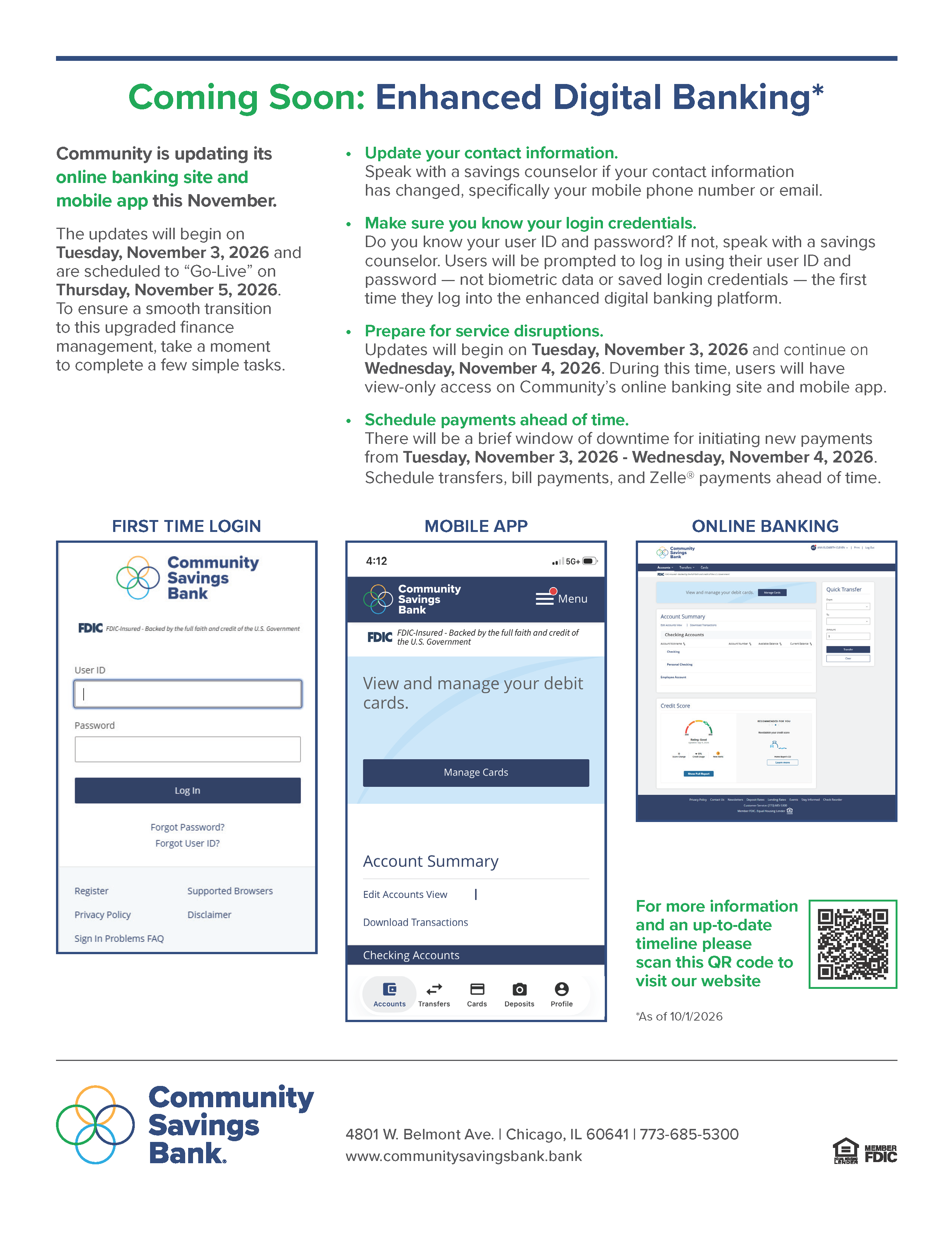
Community is updating its online banking site and mobile app this November. The updates will begin on Tuesday, November 3, 2026 and are scheduled to "Go-Live" on Thursday, November 5, 2026. To ensure a smooth transition to this upgraded finance management platform, take a moment to review the important information below.
Quick Links:
- Service Disruptions
- Beware of Fraud
- Important Action Required
- Online Banking Site Updates
- Mobile App Updates
- Preview the Changes
- Tutorials
- Flyer for Customers
Service Disruptions / Timeline
Tuesday, November 3, 2026 – Bill Pay, transfers, and Zelle® will be disabled and final bill payments will be made via the current system.
Tuesday, November 3, 2026 – Mobile Deposit via Community’s mobile app will be disabled.
Tuesday, November 3, 2026 – Community’s online banking site and mobile app will go into view-only mode. No transactions will be permitted while in view-only mode.
Thursday, November 5, 2026 – The updated system, Enhanced Digital Banking, will go live.
Beware of Fraud
During this time, be on the lookout for bad actors trying to commit fraud. Individuals may impersonate bank employees and ask customers for usernames, passwords, or other Online Banking credentials. The bank will never email, text, or call asking for your User ID or Password. When in doubt, call the bank at 773-685-5300.
Important Action Required
Follow these easy steps to prepare:
- Update your contact details. Fill out the form to the right if your contact information has changed, specifically your phone number and email address.
- Make sure you know your login credentials. Do you know your user ID and password? If not, fill out the form to the right. Users will be prompted to log in using their user ID and password—not biometric data or saved login credentials— the first time they log into the enhanced digital banking platform.
- Prepare for service disruptions. Updates will begin on Tuesday, November 3, 2026 and continue on Wednesday, November 4, 2026. During this time, users will have view-only access on Community's online banking site and mobile app.
- Schedule payments ahead of time. There will be a brief window of downtime for initiating new payments, from Tuesday, November 3, 2026 - Wednesday, November 4, 2024. Schedule transfers, bill payments, and Zelle® payments ahead of time. All services should be restored on our "Go-Live" date, Thursday, November 5, 2026.
Online Banking Updates
Account Information
Most of your account details will be available and ready to use within the new system including transaction history, bill payment payee information, scheduled payments and internal transfers, alerts, eStatements, and internal transfer settings.
Non-Transferable Services
The following settings will not transfer to the updated system:
- Card controls via “Cards” in Mobile Banking
- External transfers
- SMS and push notifications
Please make note of or save your current settings and any related history for these services before Tuesday, November 3, 2026. You will need to set these services up or register for them again once the new system is live.
Bill Pay Users
Scheduled payments will transfer to the new system. Your payment history will not. Please be sure to save a copy of this prior to Tuesday, November 3, 2026.
Payee addresses in Bill Pay need to be complete and accurate for payee information to transfer to the new system. Please review and make corrections by Tuesday, November 3, 2026.
We also recommend making note of your current payees and account numbers to ensure you can confirm all information transferred correctly once the new system is live.
First-Time Login
No changes to your personal login credentials are expected. You will log in for the first time using your current Username and Password whether online or via our mobile app. Some users will be prompted to update their User ID and Password upon logging in for the first time. (The updated site requires a User ID to be at least nine characters and a Password to be between 12 - 32 characters).
Enhanced Security
Upon logging in for the first time, you will be prompted to receive a text or phone call with a one-time passcode to verify your identity. Simply enter this passcode into the system and submit to securely log in.

Mobile App Updates
Important Notes:
- If you currently use biometrics to log in, you will need to reestablish this feature within the new app. Your username and password are required for first-time login.
- If you have push notifications set up currently, please be sure to make note of these. Push notifications will not transfer to the new system.
On Thursday, November 5, 2026, customers have two options to access the updated mobile app:
- Through the Current Mobile Banking App. Open your existing app and follow the prompt to download the new version. After installation, log in using your current User ID and Password.
OR - Direct Download. Search for “CSB Chicago Mobile Banking” in your device’s app store, download the new app, and log in with your existing credentials. Once the new app has been downloaded, you should delete the old app.
Experience digital banking. Download our app for free:


Preview the Changes
Curious what the new site will look like? Check out our tutorial of what's changing below.